
How to Get There
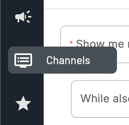
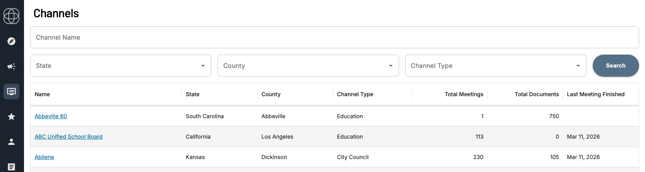
Click the Channels icon in the left navigation menu to open the Channel Directory. From there:
- Search by name - type in the city, county, or agency you're looking for
- Filter by State, County, or Channel Type to browse if you're not sure of the exact name
Click the Channel's name to open the Channel Detail Page.
What You'll Find
Contact Information The Channel page includes links to the agency's Home Page and Contact Page. Use these to find staff directories, leadership contacts, and background on the organization before you arrive. If you're not sure who you'll be sitting across from, the contact page is a good place to start.
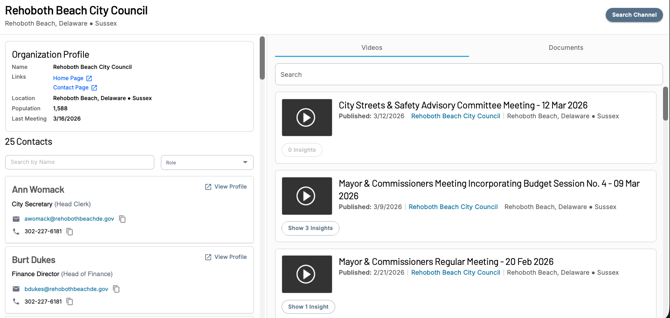
The Channel page also includes links to two additional public resources, when available:
- Budget - Links directly to the organization's publicly available budget document. Use this to understand funding priorities, spending allocations, and where the organization is investing - useful context before any sales or policy conversation.
- Municipal Code - Links to the organization's municipal code where available. Useful for government affairs professionals tracking ordinances, regulations, or policy language relevant to their work.
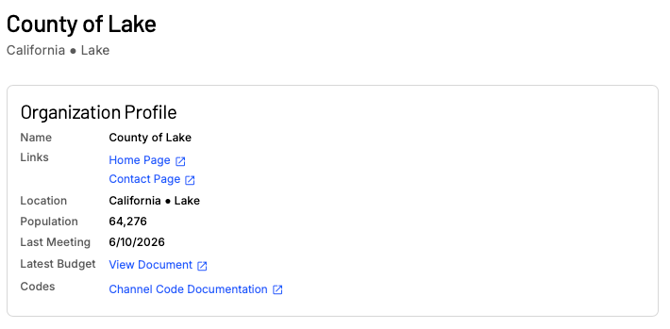
Verified Speakers Cloverleaf AI identifies and verifies speakers who appear regularly in that Channel's meetings. Reviewing speaker profiles gives you a sense of who the active voices are, what topics they tend to engage on, and whether any of them are likely to be in your meeting.
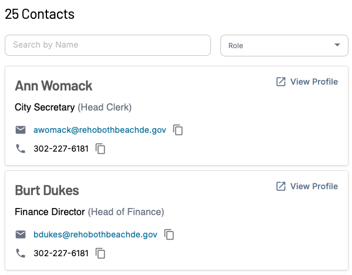
Click View Profile on any verified speaker to open their Person Detail Page. From there you can:
- See every meeting that person has been identified in
- Search their speaking history by keyword to find what they've said about specific topics
- Use key search terms like your product category, budget, procurement, funding, or your company name to quickly surface relevant moments
- Get a sense of their position and sentiment on issues before you walk in the door
Video Archive The video archive shows every transcribed meeting Cloverleaf AI has on record for that Channel. Browsing recent meetings gives you a quick read on what the body has been focused on lately.
Document Archive The document archive surfaces official government documents associated with that Channel - including meeting agendas, minutes, packets, and public notices when available. Reviewing these before your meeting gives you a clearer picture of what's been formally proposed, approved, or put on record, which can be just as valuable as the meeting transcripts themselves.
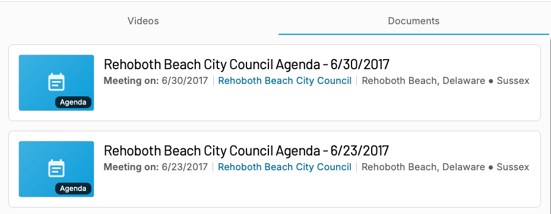
Search This Channel
Click Search This Channel in the top right corner of the Channel page to run a keyword search scoped to just that government body. Use this to:
- Search for your company name or product category to see if you've come up in their meetings
- Search for topics relevant to your work to understand their existing position
- Search for budget, funding, or procurement terms to gauge urgency

Pro Tip: If you find relevant results, save the search as a Campaign so you continue getting alerts from this Channel going forward.
Questions? Contact us at support@cloverleaf.ai