
How to Get There
Click Contacts in the left navigation menu from anywhere in Cloverleaf AI.

Searching and Filtering
The Contact Directory currently holds 700,000+ contacts and is updated and added to daily. Use the filters at the top of the page to narrow down your results:
- Search by name or email - Look up a specific person directly
- Phone Number - Filter for contacts with a known phone number
- Title - Search by job title or role (e.g. "City Manager," "Purchasing Director")
- Channel - Filter by a specific government body
- Organization - Search by organization name
- Channel Type - Filter by government body type (City Council, State Agency, etc.)
- State, County, City - Narrow results by geography
"Must Have" Filters - Use the checkboxes in the top right to limit results to only contacts that have a verified Phone, Email, Channel, or Profile on file.

What You'll See in the Results
Each row in the Contact Directory includes:
- Name
- Phone
- Title
- Organization
- Channel - Clickable link that takes you directly to that Channel's Detail Page
- City, County, State
- View Profile - Opens the Person Detail Page for that contact where you can search their full speaking history

Exporting Contacts
Click the Export button in the top right corner of the results table to export your current filtered list of contacts.
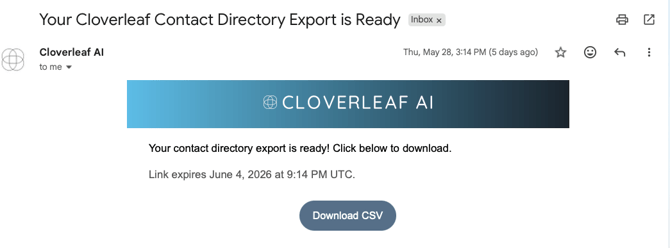
After clicking Export, Cloverleaf AI will send you an email containing a download link for your contact list. Click the link in the email to download the file.
Tip: Apply your filters before clicking Export - the export will only include the contacts matching your current filter selections, making it easy to pull a targeted list for a specific territory, role, or organization type.
Questions? Contact us at support@cloverleaf.ai