
How to Clone
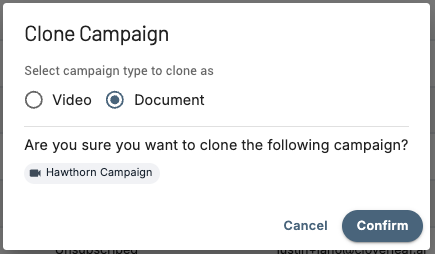
- From the Campaigns page, find the Campaign you want to duplicate
- Click

- Choose whether the new Campaign should search Videos or Documents
What Carries Over
The cloned Campaign will keep:
- All keywords and proximity search settings
- Geographic and location filters
- All other search filters
The following must be configured again on the new Campaign:
- Subscriptions and alert frequency
- Insight settings
Pro Tip: Use Clone to quickly build paired Video and Document Campaigns from the same search - one monitoring meeting recordings, the other scanning agendas, minutes, and notices for the same keywords.
Questions? Contact us at support@cloverleaf.ai